

AI Upscaler produces crisp, high-resolution renders that are up to four times larger without requiring re-rendering.
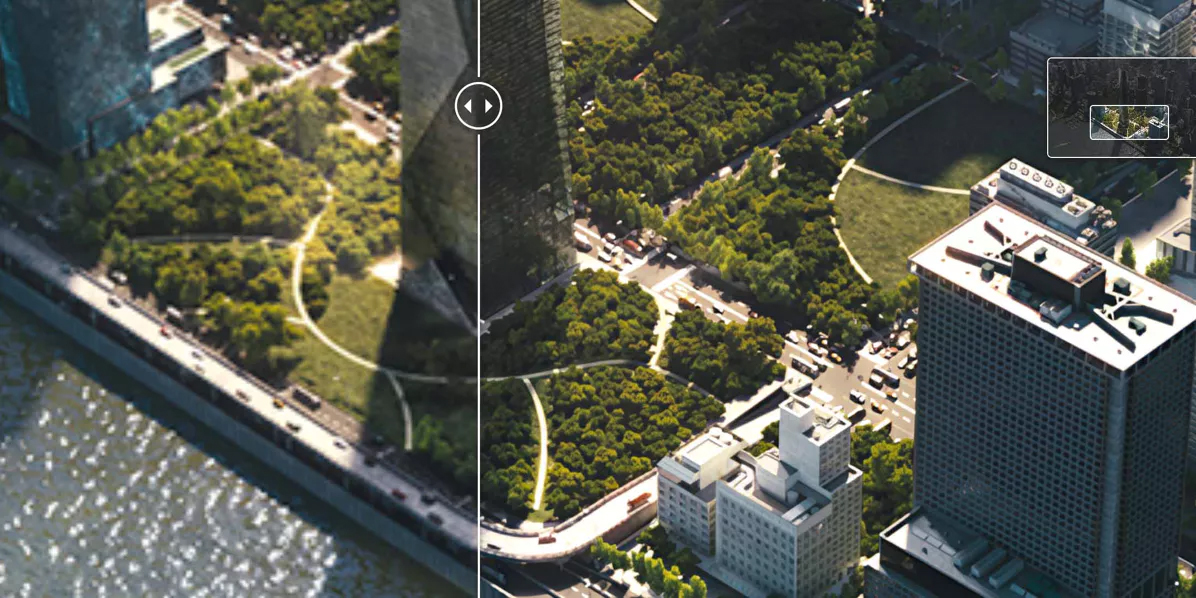
Chaos has introduced a powerful new feature—the Chaos AI Upscaler—designed to help architects, designers, and visual artists effortlessly convert low-resolution drafts or renders into polished, high-quality images. Built with creative professionals in mind, this tool dramatically improves clarity and resolution, making it easier to present ideas convincingly and speed up your workflow. Now available through Chaos Cloud Collaboration, the AI Upscaler supports Enscape, V-Ray, Corona, and Envision users, enabling them to push their visuals all the way up to 16K resolution.
Upscaling isn’t just about making an image bigger—it’s about keeping important details intact. The Chaos AI Upscaler excels at maintaining the elements that matter most: sharp geometry, defined edges, readable text, natural textures, and realistic lighting.
Whether you’re enlarging a quick 2K draft for a competition board or improving vegetation and materials in an animation frame, the tool enhances your images without blurring, smudging, or inventing distracting details.
Brick patterns remain precise, reflections stay believable, and text stays crisp. It also reduces noise effectively while preserving depth and structure, making it ideal for producing final presentation images, large-format prints, or high-resolution deliverables.
The AI Upscaler is directly built into Chaos Cloud Collaboration, allowing you to upscale images without installing anything extra. Upload your render, open the editing tools, and upscale instantly in the cloud.
Users of Chaos Vantage can also simply drag and drop their images into the Chaos Cloud Collaboration interface for the same effortless enhancement. The tool works with all common formats—JPG, PNG, TIFF, and more—making the process straightforward and flexible within any pipeline.


